Aqara vs. Google: The Complete 2026 Smart Home Buyer's Guide

We believe in recommending tools and materials we’d use ourselves. Our recommendations are based on independent research and real-world testing. While we may receive commissions for purchases made through our links, our opinions remain our own — un-compromised and expert-led.
Author: Brandly Ombonyo is a Project Management Consultant specializing in automation, advanced security, and intelligent systems integration. He delivers expert design, procurement, and deployment of surveillance, access control, and energy management solutions for developers. Ultimately, Brandly engineers secure, future-ready environments that maximize operational excellence and long-term asset value.
Introduction
Building a smart home usually means picking a lane: the sensor-heavy, endlessly customizable world of Aqara, or the polished, AI-driven ecosystem of Google. Rather than forcing that choice, we put 16 of the most popular products from both brands side by side, eight Aqara devices covering presence, security, and climate, and eight Google devices covering cameras, entertainment, and wearables, so you can see exactly where each one shines.
Below you'll find our editor's picks, a full side-by-side comparison table, in-depth reviews of every product, a buying guide that explains the jargon (Zigbee, Thread, Matter, and more), an FAQ, and a final verdict on which ecosystem, or combination of the two, fits your home best.
Editor's Picks
Category | Editor's Pick | Why It Wins |
Best Overall Hub & Camera | Combines a 2K AI camera with a full Zigbee hub, so it anchors an entire Aqara sensor network from one device. | |
Best AI-Enhanced Camera | Gemini-powered descriptions turn simple motion alerts into genuinely useful notifications. | |
Best Value Pick | Native Matter support and rock-solid Hall-sensor accuracy at one of the lowest price points in this list. |


Full Comparison Table
Ratings below reflect our editorial assessment based on published specifications and aggregated customer reviews at the time of writing.
Product | Brand | Best For | Editor Rating | Price |
Aqara Presence Sensor FP300 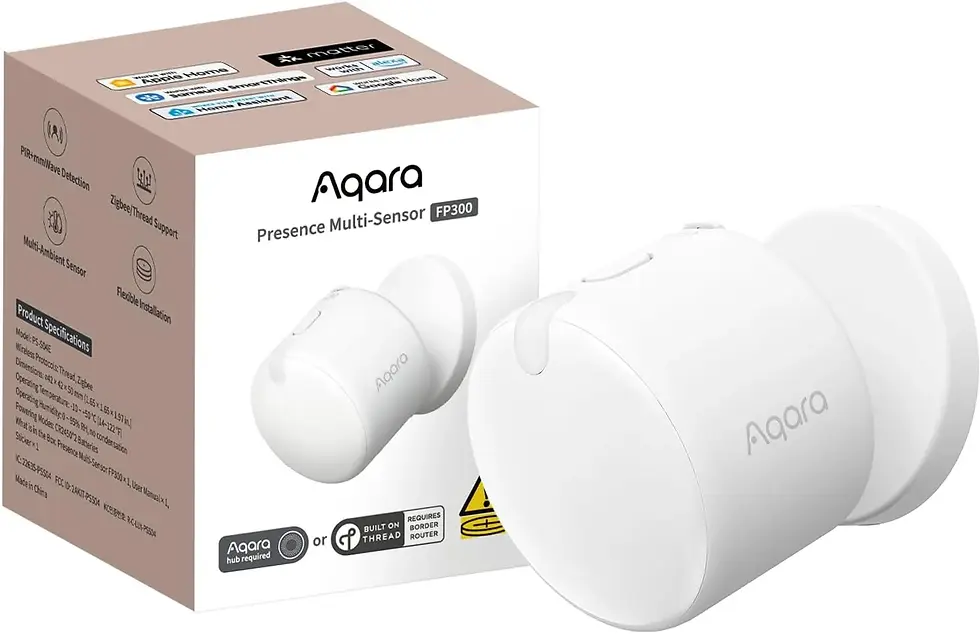 | Aqara | Best for AI-Powered Presence Detection | 4.6 / 5 | |
Aqara 2K Security Indoor Camera Hub G3 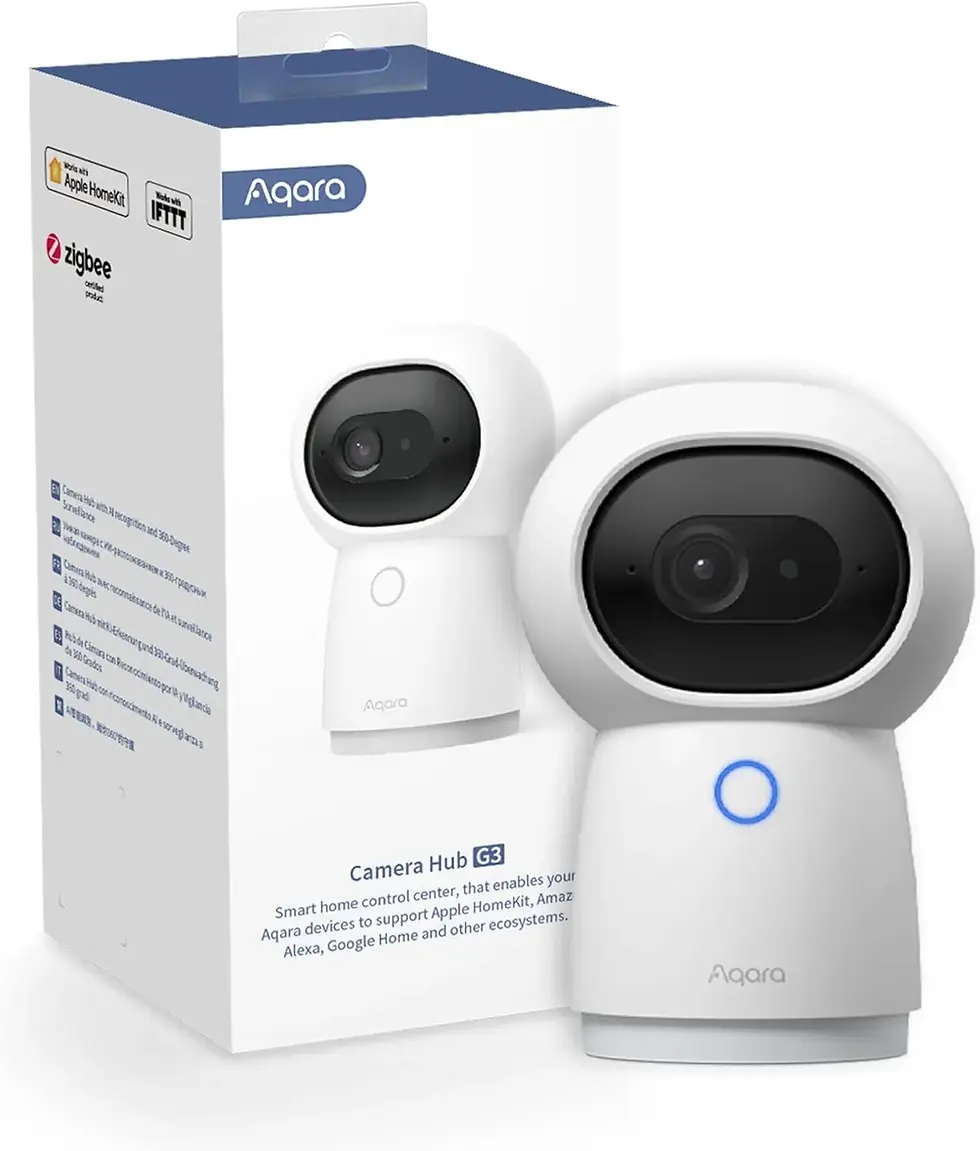 | Aqara | Best All-in-One Camera & Hub | 4.5 / 5 | |
Aqara Motion and Light Sensor P2 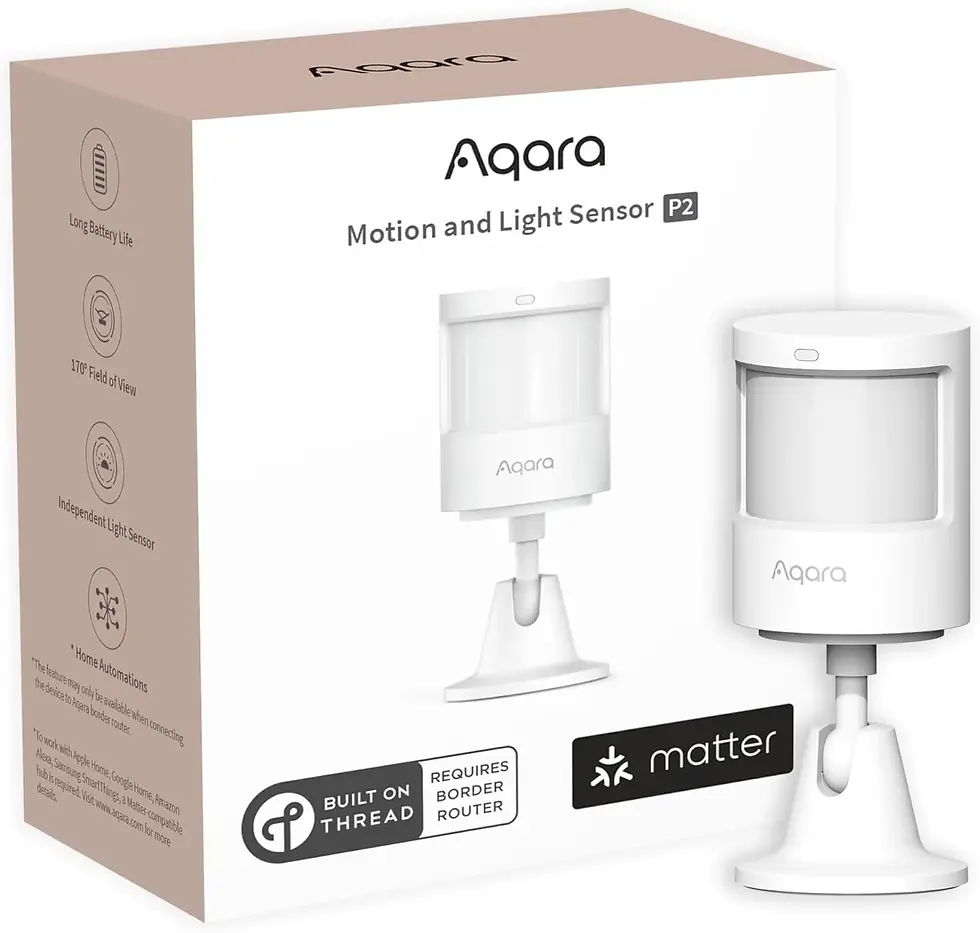 | Aqara | Best Budget Motion Sensor | 4.3 / 5 | |
Aqara Door and Window Sensor P2 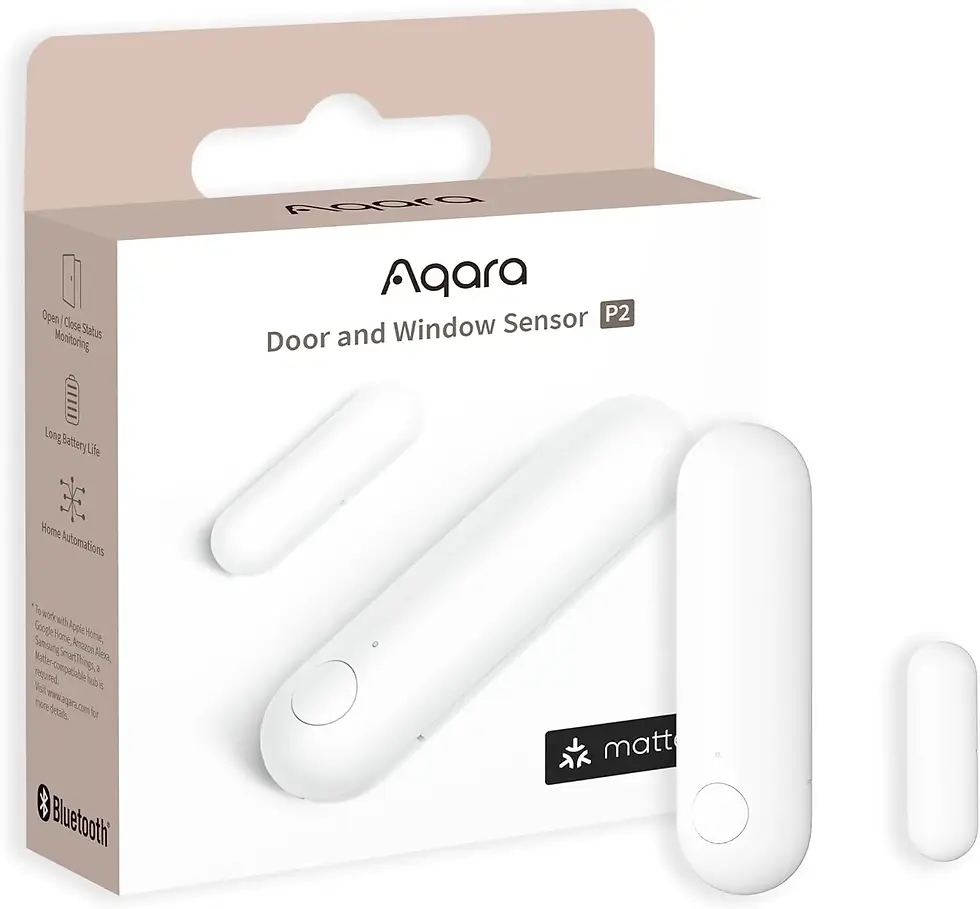 | Aqara | Best for Entry Monitoring | 4.4 / 5 | |
Aqara Zigbee Temperature and Humidity Sensor (3-Pack) 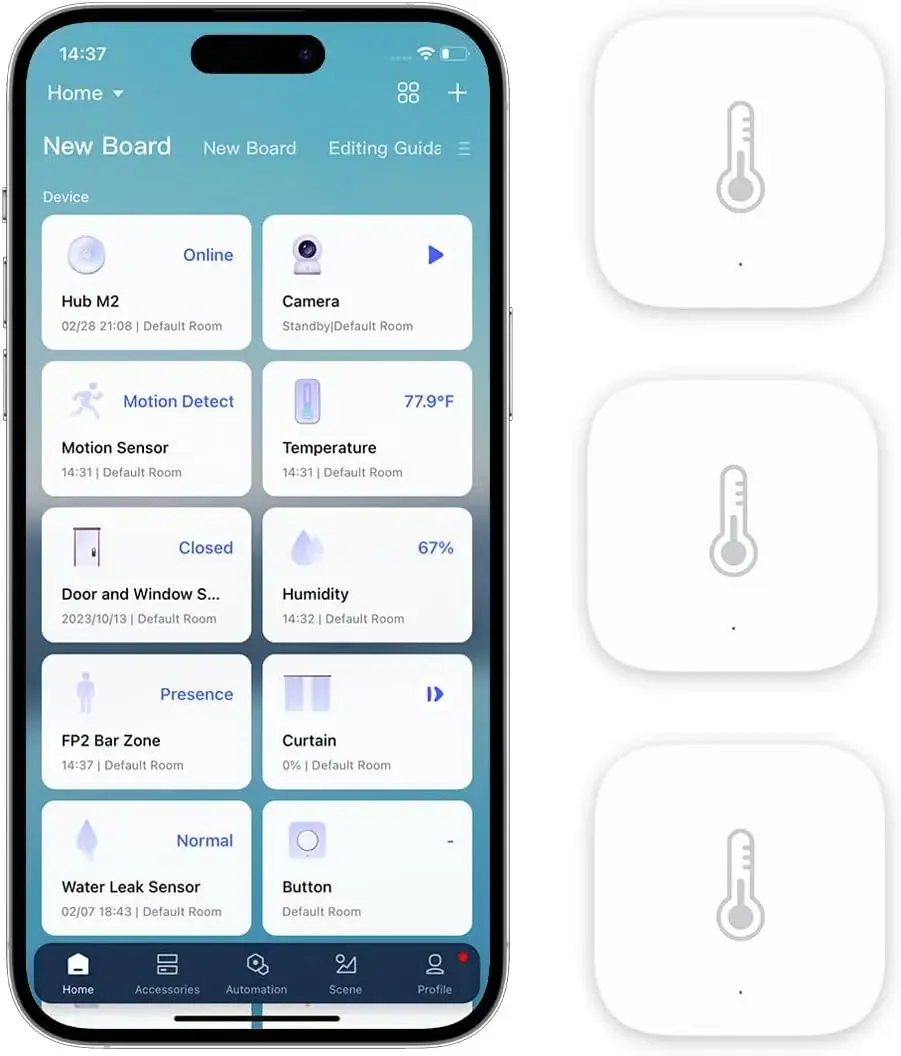 | Aqara | Best Value Multi-Room Bundle | 4.5 / 5 | |
Aqara Smart Curtain Motor E1 (Rod Version) 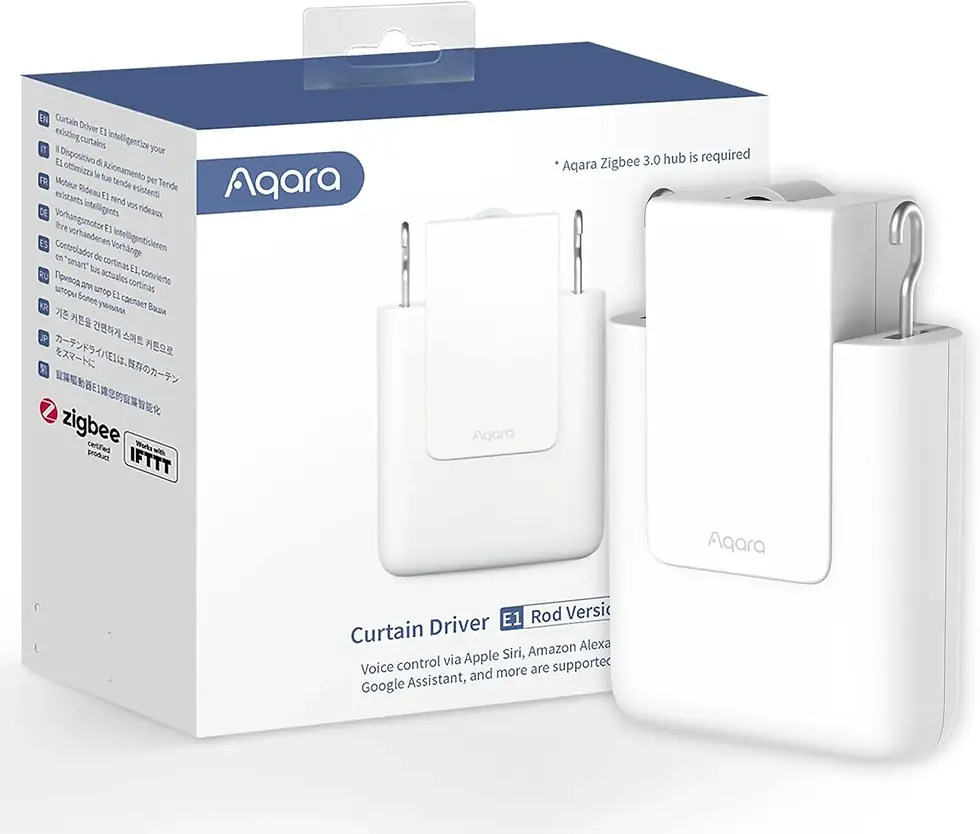 | Aqara | Best for Automated Window Treatments | 4.2 / 5 | |
Aqara Smart Lock U100 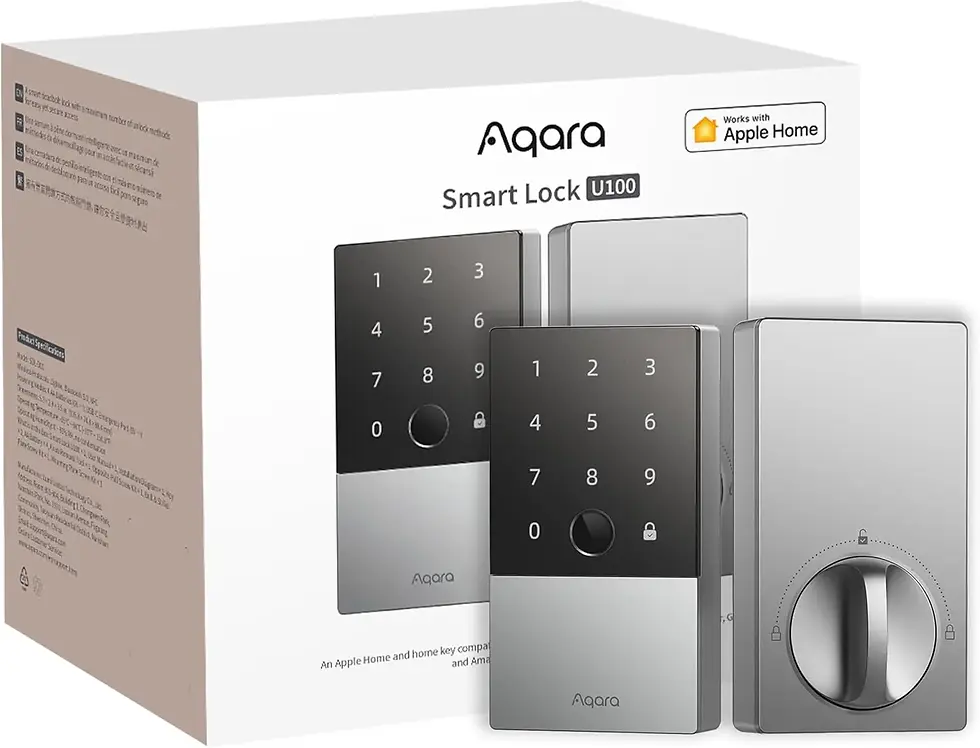 | Aqara | Best Smart Lock for Apple Home | 4.6 / 5 | |
Aqara Smart Thermostat W200 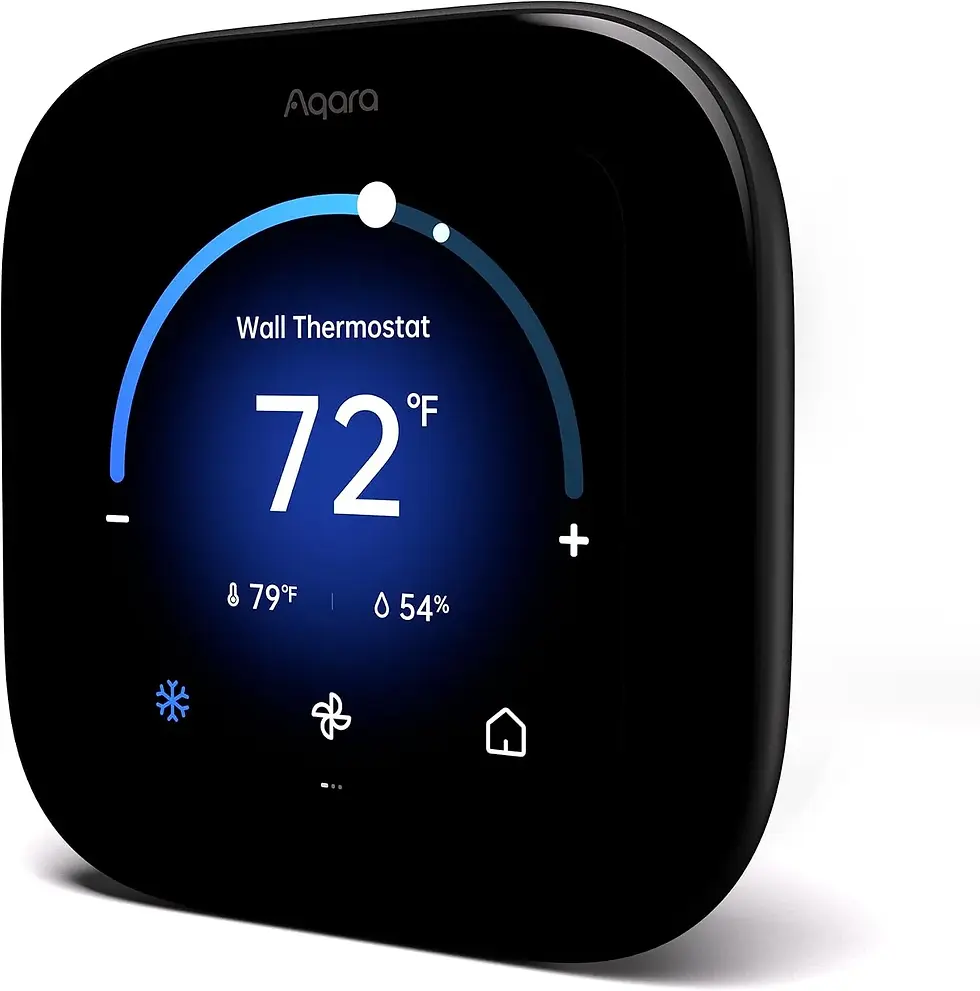 | Aqara | Best Premium Climate Control | 4.7 / 5 | |
Google Nest Doorbell (Wired, 3rd Gen)  | Best Smart Doorbell | 4.6 / 5 | ||
Google Nest Cam Indoor (Wired, 3rd Gen)  | Best Indoor Security Camera | 4.6 / 5 | ||
Google Nest Learning Thermostat (4th Gen) 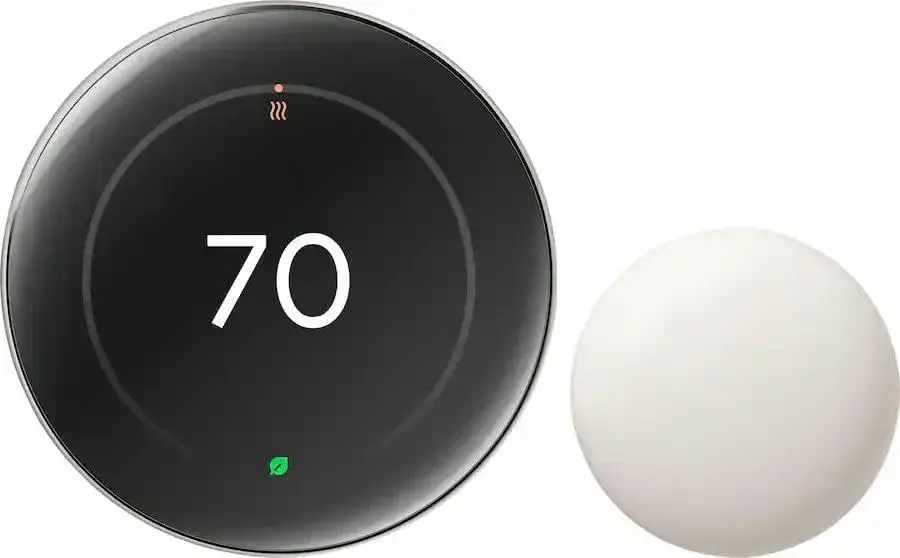 | Best Cross-Platform Thermostat | 4.7 / 5 | ||
Google Nest WiFi Pro  | Best Mesh Router for Smart Homes | 4.4 / 5 | ||
Google Nest Audio (Bluetooth Speaker)  | Best Whole-Home Audio | 4.5 / 5 | ||
Google TV Streamer 4K  | Best Streaming & Smart Home Hub | 4.5 / 5 | ||
Google Pixel Watch 4 (45mm)  | Best Smartwatch | 4.4 / 5 | ||
Google Chromecast with Google TV  | Best Budget Streaming Device | 4.6 / 5 |
Aqara: In-Depth Reviews (8 Products)
Aqara Presence Sensor FP300
Best for AI-Powered Presence Detection
Why You Should Buy It: The FP300 combines PIR and 60GHz mmWave radar with adaptive AI learning, so it can tell when you're genuinely present, even sitting still on the couch, instead of relying on simple motion triggers. It supports Matter over Thread and Zigbee, so it plugs into Apple Home, Home Assistant, Alexa, Google Home, SmartThings, and Homey.
Pros:
• Highly accurate presence detection, even when you're not moving
• Adaptive AI reduces false triggers over time
• Broad compatibility via Matter, Thread, and Zigbee
• Compact, battery-powered, easy to place anywhere
Cons:
• Third-party Matter ecosystems may need extra configuration steps
• Battery-only design means periodic recharging
• 6-meter maximum range limits use in larger rooms
Who It's Best For: Homeowners who want lights, climate, and other automations to respond to whether someone is actually in the room, not just whether something moved.
Price: Check Price on Amazon
Aqara 2K Security Indoor Camera Hub G3
Best All-in-One Camera & Hub
Why You Should Buy It: The Camera Hub G3 doubles as a 2K indoor security camera and a Zigbee 3.0 hub, with AI facial, pet, and gesture recognition. Its 360° pan-and-tilt lens covers the whole room, and it supports HomeKit Secure Video, Alexa, Google Assistant, and IFTTT.
Pros:
• 2K resolution with genuinely useful facial and gesture recognition
• Doubles as a Zigbee hub for other Aqara sensors
• 360° pan-and-tilt coverage plus night vision
• Works with HomeKit Secure Video for encrypted cloud-free storage
Cons:
• Wired power only, so placement is limited by outlets
• WiFi caps at 5GHz (no WiFi 6)
• Indoor use only, no weatherproofing
Who It's Best For: Anyone who wants one device to both monitor a room and act as the central hub for the rest of their Aqara sensor lineup.
Price: Check Price on Amazon
Aqara Motion and Light Sensor P2
Best Budget Motion Sensor
Why You Should Buy It: This 2-in-1 sensor pairs a PIR motion detector with a separate ambient light sensor, so automations can react to motion, brightness, or both. Native Matter over Thread support means fast setup with Apple Home and Alexa, including Amazon's Frustration-Free Setup through Echo devices.
Pros:
• Two sensors (motion + light) in one compact unit
• Native Matter over Thread for fast, low-power performance
• Affordable entry point into presence-based automation
Cons:
• Requires a separate 2-in-1 Matter Controller / Thread Border Router
• Battery-powered, so it needs occasional maintenance
Who It's Best For: Budget-conscious users who want reliable motion-and-light triggered automations without paying for radar-based presence sensing.
Price: Check Price on Amazon
Aqara Door and Window Sensor P2
Best for Entry Monitoring
Why You Should Buy It: A high-precision Hall sensor gives the P2 fast, reliable open/closed detection for doors and windows. It's one of the first sensors to support Matter, giving it native access to Aqara Home, Apple Home, Google Home, Amazon Alexa, and Samsung SmartThings.
Pros:
• Extremely broad ecosystem support via Matter over Thread
• Low-power, low-latency Thread connectivity
• Small, unobtrusive design that mounts cleanly on doors and windows
Cons:
• Needs a Thread Border Router / Matter controller to unlock full compatibility
• Single-purpose sensor, no additional features
Who It's Best For: Security-minded homeowners who want instant alerts and automations whenever a door or window opens.
Price: Check Price on Amazon
Aqara Zigbee Temperature and Humidity Sensor (3-Pack)
Best Value Multi-Room Bundle
Why You Should Buy It: Each sensor delivers 3-in-1 environmental monitoring of temperature, humidity, and atmospheric pressure, reporting back over Zigbee to an Aqara Hub for use in HomeKit, Alexa, or IFTTT automations. The 3-pack makes it easy to cover several rooms at once.
Pros:
• 3-pack pricing makes multi-room monitoring affordable
• 3-in-1 sensing (temperature, humidity, pressure)
• Small, wall-mountable design with long battery life
Cons:
• Requires an Aqara-brand hub; hubs from other brands are not supported
• Best performance requires staying within 10 meters of the hub
Who It's Best For: Anyone tracking climate across multiple rooms, a nursery, wine storage, or a greenhouse, from a single app.
Price: Check Price on Amazon
Aqara Smart Curtain Motor E1 (Rod Version)
Best for Automated Window Treatments
Why You Should Buy It: The Curtain Motor E1 automates rod-style curtains, letting you schedule or voice-control your window treatments. It works through an Aqara Zigbee 3.0 Hub and integrates with HomeKit, Alexa, and IFTTT.
Pros:
• Quiet, reliable motor built for daily scheduled use
• Fits most standard uniform-thickness curtain rods
• Enables energy-saving light and privacy automations
Cons:
• Requires an Aqara Hub, not compatible with hubs from other brands
• Doesn't support telescopic or tapered rods
• Initial rod-fitting setup can take some trial and error
Who It's Best For: Homeowners who want their curtains to open and close automatically with the sun or their daily routine.
Price: Check Price on Amazon
Aqara Smart Lock U100
Best Smart Lock for Apple Home
Why You Should Buy It: The U100 is fully integrated with Apple Home Key, letting you unlock the door with a tap of an iPhone or Apple Watch, even when the device is out of battery. It also offers fingerprint recognition for up to 50 users, a touchscreen keypad, and IP65 weatherproofing.
Pros:
• Apple Home Key tap-to-unlock, even with a dead iPhone battery
• Supports up to 50 fingerprints plus app-based passcodes
• IP65 weatherproof rating suited to exterior doors
• Simple guest access sharing through Apple Home
Cons:
• One of the pricier products in this roundup
• Sharing Apple Home Keys requires an Apple Home Hub
• Zinc construction adds noticeable weight to the door
Who It's Best For: Apple-centric households that want secure, keyless front-door entry with easy guest access management.
Price: Check Price on Amazon
Aqara Smart Thermostat W200
Best Premium Climate Control
Why You Should Buy It: The W200 pairs a 4-inch touchscreen with a built-in radar occupancy sensor and native Matter controller support. Apple Adaptive Temperature and Clean Energy Guidance automatically adjust heating and cooling based on whether you're home, asleep, or away.
Pros:
• Learns your routine to balance comfort and energy savings
• Sleek touchscreen interface with radar-based occupancy sensing
• Works with Siri, Google Assistant, and Alexa
• Doubles as a Matter controller for other devices
Cons:
• The most expensive Aqara product in this list
• Adaptive Temperature requires an Apple TV or HomePod hub
Who It's Best For: Energy-conscious smart home owners who want their thermostat to think for itself across whichever ecosystem they use.
Price: Check Price on Amazon
Google: In-Depth Reviews (8 Products)
Google Nest Doorbell (Wired, 3rd Gen)
Best Smart Doorbell
Why You Should Buy It: This wired Nest Doorbell delivers 2K HDR video and Gemini-powered smarts that recognize what's happening at your door and suggest what to do next. Because it's wired, there's no battery to recharge, and its 166° field of view keeps packages and visitors in frame.
Pros:
• Wired power means no recharging or battery swaps
• 2K HDR video with night vision and 2-way audio
• Gemini AI helps identify people, packages, and activity
• Wide 166° field of view
Cons:
• Full Gemini features require a Google Home Premium subscription after the trial
• Wired installation is less flexible than battery models
Who It's Best For: Google Home households who want a always-powered doorbell with smarter-than-average alerts.
Price: Check Price on Amazon
Google Nest Cam Indoor (Wired, 3rd Gen)
Best Indoor Security Camera
Why You Should Buy It: The Nest Cam Indoor captures crisp 2K HDR video and uses Gemini to describe what's happening on screen, right down to specific activity notifications. It's built for continuous wired power, with encrypted video and two-step verification for security.
Pros:
• Sharp 2K HDR video with strong low-light performance
• Gemini-powered activity descriptions and notifications
• Continuous wired power, no battery maintenance
• Encrypted video plus 2FA account protection
Cons:
• Deeper Gemini insights require a Premium subscription
• Wired-only design limits placement options
Who It's Best For: Parents and pet owners who want detailed, AI-narrated indoor monitoring rather than generic motion alerts.
Price: Check Price on Amazon
Google Nest Learning Thermostat (4th Gen)
Best Cross-Platform Thermostat
Why You Should Buy It: Google's most advanced thermostat learns your schedule and adjusts automatically to save energy, and it ships with a remote Nest Temperature Sensor for balancing hot and cold rooms. It works across Alexa, Apple HomeKit, and the Google Home app.
Pros:
• Learns and refines your schedule without manual programming
• Works across Alexa, Apple HomeKit, and Google Home
• Includes a remote sensor for room-by-room balance
• Polished, award-winning design
Cons:
• Premium price point compared to basic thermostats
• Takes a couple of weeks to fully learn your habits
Who It's Best For: Multi-ecosystem households who want one thermostat that plays nicely with whichever smart assistant they use.
Price: Check Price on Amazon
Google Nest WiFi Pro
Best Mesh Router for Smart Homes
Why You Should Buy It: Nest WiFi Pro is a tri-band, WiFi 6E mesh router rated up to 2x faster than standard WiFi 6, with each unit covering up to 2,200 square feet. It's built to be expanded into a full mesh system as your smart home grows.
Pros:
• WiFi 6E speeds with wide single-unit coverage
• Expandable mesh system for larger homes
• Built-in guest mode and parental controls
• Simple setup through the Google Home app
Cons:
• Full speed benefits require WiFi 6E-capable devices
• Larger homes need multiple units for full coverage
Who It's Best For: Anyone whose home WiFi struggles to keep a growing list of smart devices reliably connected.
Price: Check Price on Amazon
Google Nest Audio (Bluetooth Speaker)
Best Whole-Home Audio
Why You Should Buy It: Nest Audio is a 30W smart speaker with Google Assistant built in, supporting both WiFi and Bluetooth streaming. It pairs with other Nest speakers and displays or Chromecast-enabled devices for synchronized multi-room sound.
Pros:
• Strong sound quality for a speaker of its size
• Multi-room and stereo pairing with other Nest devices
• Hands-free Google Assistant voice control
Cons:
• Not waterproof, so it's an indoor-only speaker
• Corded power only, no portable or battery mode
Who It's Best For: Households that want synchronized music and voice control across several rooms.
Price: Check Price on Amazon
Google TV Streamer 4K
Best Streaming & Smart Home Hub
Why You Should Buy It: The TV Streamer 4K delivers fast 4K HDR streaming with a voice search remote and 32GB of onboard storage, while also acting as a hub for controlling other smart home devices right from the TV.
Pros:
• Fast, smooth 4K HDR streaming performance
• Doubles as a smart home control hub on your TV
• Broad app support including Netflix, Prime Video, and YouTube
• Voice remote with quick search
Cons:
• Most streaming apps require their own separate subscriptions
• Best performance benefits from a wired Ethernet connection
Who It's Best For: Cord-cutters who want a fast streaming box that can also manage smart home devices from the couch.
Price: Check Price on Amazon
Google Pixel Watch 4 (45mm)
Best Smartwatch
Why You Should Buy It: The Pixel Watch 4 runs Wear OS 6 with Gemini built in as a true on-wrist AI assistant, backed by dual-frequency GPS, an always-on display, and up to 40 hours of battery life for fitness and health tracking.
Pros:
• Up to 40-hour battery life, long for a smartwatch
• Gemini AI assistant built directly into the watch
• Always-on display and dual-frequency GPS for accurate tracking
• Comprehensive health and fitness insights
Cons:
• Premium pricing versus basic fitness trackers
• Deepest features are optimized for Android/Pixel phones
Who It's Best For: Android and Pixel users who want a fitness-focused smartwatch with a genuine AI assistant on their wrist.
Price: Check Price on Amazon
Google Chromecast with Google TV
Best Budget Streaming Device
Why You Should Buy It: Chromecast with Google TV brings 4K HDR streaming and voice search to any HDMI TV, with access to over 700,000 movies and shows plus a personalized Google TV home screen.
Pros:
• Affordable entry point into 4K streaming
• Compact and portable, easy to move between TVs
• Intuitive Google TV interface with personalized recommendations
• Includes a carrying pouch for travel
Cons:
• Fewer smart-home hub features than the TV Streamer 4K
• Performance depends on your existing home WiFi
Who It's Best For: Budget-minded shoppers who want an easy, inexpensive 4K upgrade for any television.
Price: Check Price on Amazon
Buying Guide: How to Choose
Understand the Connectivity Standards
Zigbee: A low-power wireless standard used by several Aqara sensors. Requires a dedicated Aqara hub, and hubs from other brands are typically not supported.
Thread: A newer, similarly low-power mesh protocol built for smart homes. Devices need a Thread Border Router, which can be a dedicated device or built into products like the Aqara Camera Hub or Smart Thermostat.
Matter: A shared software standard, not a radio protocol, that lets devices from different brands (Aqara, Google, Apple, Amazon, Samsung) work inside the same app. Most newer Aqara products support Matter over Thread.
WiFi / Bluetooth: Used by most Google devices in this list. No separate hub is required, but performance depends on your home network's strength and coverage.
Match Devices to Your Existing Ecosystem
If your household already relies on Apple Home, prioritize Aqara's Matter-enabled sensors and the Smart Lock U100 with Apple Home Key. If you're deeper into Google Home, Google's cameras, doorbell, and thermostat integrate most seamlessly and unlock Gemini-powered features. Both ecosystems can coexist through Matter, so mixing brands is realistic, not just theoretical.
Battery vs. Wired Devices
Battery-powered sensors (most of Aqara's lineup) are easier to place anywhere but need occasional recharging or battery swaps. Wired devices (Google's cameras and doorbell, Aqara's Camera Hub and Thermostat) trade installation flexibility for continuous, maintenance-free power.
Factor in Subscription Costs
Aqara's core features generally work without a subscription. Google's Gemini-powered camera and doorbell descriptions, however, require a Google Home Premium subscription after an initial free trial, which is worth budgeting for if those AI features are the reason you're buying.
Frequently Asked Questions
Do I need a hub for these devices to work?
It depends on the device. Several Aqara sensors (temperature/humidity, curtain motor) require an Aqara Zigbee hub, while newer Aqara P2-series and FP300 sensors use Matter over Thread and only need a Thread Border Router or Matter controller. Google's Nest and Pixel devices connect directly over WiFi or Bluetooth and don't require a separate hub.
Can Aqara and Google devices work together in one smart home?
Yes. Most current Aqara devices support Matter, which is designed to work across Google Home, Apple Home, Amazon Alexa, and SmartThings. That means you can mix Aqara sensors with Google's cameras, speakers, and thermostat inside a single Google Home app, as long as you have the required Thread Border Router or Matter controller.
Which brand is better for security?
Both brands offer strong options. Aqara's Camera Hub G3 and Smart Lock U100 focus on granular local sensors and Apple Home Key integration, while Google's Nest Doorbell and Nest Cam Indoor lean on Gemini AI for smarter, more descriptive alerts. Many households use Aqara sensors for entry-point monitoring and Google cameras for visual coverage.
Do Google's Gemini features cost extra?
Gemini-powered descriptions and advanced notifications on Nest cameras and the doorbell require a Google Home Premium subscription. A free trial is typically included with new devices, but ongoing use requires a paid plan.
Are these devices battery-powered or wired?
It's a mix. Most Aqara sensors (presence, motion, door/window, temperature/humidity) are battery-powered for flexible placement, while the Aqara Camera Hub G3, Smart Thermostat W200, and all of Google's cameras and doorbell in this list are wired for continuous power. The Aqara Smart Lock U100 uses batteries.
What's the difference between Zigbee, Thread, and Matter?
Zigbee is an older low-power wireless standard that requires a dedicated hub. Thread is a newer, similar low-power protocol built for smart homes. Matter is a shared software standard that sits on top of protocols like Thread and WiFi, letting devices from different brands work together in Apple Home, Google Home, Alexa, and other ecosystems without needing brand-specific apps.
Final Verdict: Aqara vs. Google
Choose Aqara if you want granular control: precise presence, motion, and environmental sensors, an affordable smart lock and curtain motor, and near-universal Matter compatibility that works whether you're on Apple Home, Google Home, or Alexa. It's the stronger choice for people who want to build a highly customized automation setup piece by piece.
Choose Google if you want polish and intelligence out of the box: Gemini-powered cameras and a doorbell that actually describe what's happening, a learning thermostat with a proven track record, a fast mesh WiFi system, and entertainment devices (TV Streamer, Chromecast, Pixel Watch) that tie neatly into one app.
For most readers, the smartest move isn't picking a side. Use Aqara's inexpensive, Matter-compatible sensors to cover doors, windows, motion, and climate throughout the house, and let Google's cameras, doorbell, and thermostat handle the rooms and entry points where AI-powered detail matters most. Bridged through Matter and the Google Home app, the two ecosystems complement each other far better than either does alone.

